


Find the Right
Barcode Scanner
for Your Business
From everyday barcode scanning to demanding warehouse operations, the right scanner can make a difference. Explore scanner technologies, form factors, and key considerations to help identify the right fit for your application.
Not All Barcodes
Are Created Equal
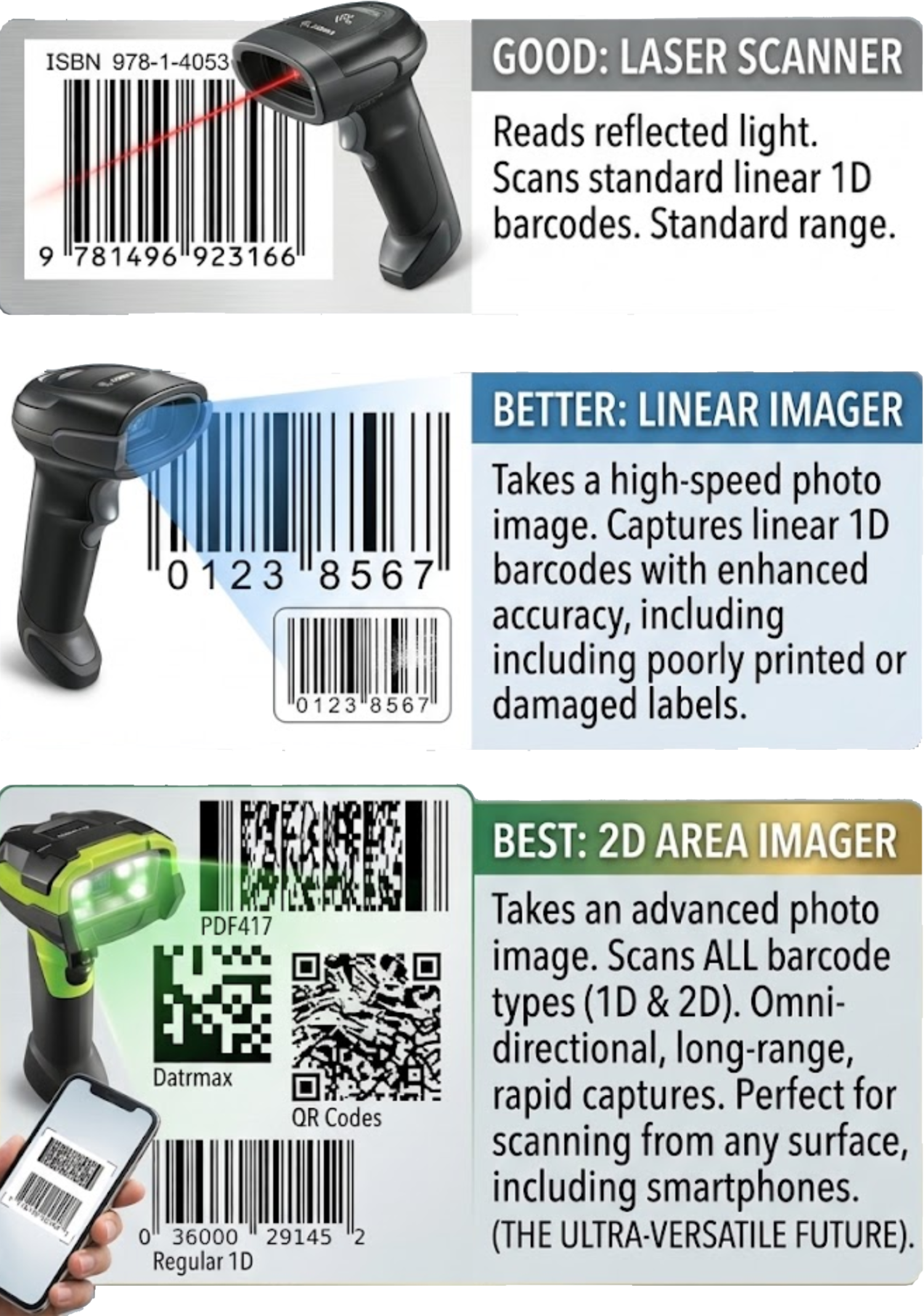
There are two main types of scannable barcodes: one-dimensional (1D) and two-dimensional (2D).
One-dimensional, or linear, barcodes were the first barcode type to be used. They hold a limited amount of information and remain common in many applications today.
Two-dimensional barcodes can store more information and offer expanded options compared to their 1D counterparts. Knowing which barcode types you need to scan is an important first step in choosing your scanner.
Three Scanner Technologies to Know
Scanner technology affects how barcodes are captured, what types of codes can be read, and how the scanner performs in your work environment.
1D Laser Scanners
1D laser scanners reflect light off a barcode and read the reflected information. They are economical to purchase, but may struggle with damaged barcodes and have a more limited scanning range.
Shop 1D Scanners →1D Linear Imagers
Linear imagers use CCD technology, similar to a digital camera. An array of light sensors captures an image and converts it into readable data. This technology can read poor or damaged barcodes at distances of two feet or greater.
Shop 1D Linear Imagers →2D Area Imagers
Full 2D area imagers capture a detailed image and can read 1D, stacked, and 2D barcodes, including QR codes. They can scan in any orientation, read barcodes from screens, and support a wide range of scanning applications.
Shop 2D Area Imagers →Compare Scanner Technologies
Use this quick comparison to understand the general differences between common scanner types.
| Feature | 1D Laser | 1D Linear Imager | 2D Area Imager |
|---|---|---|---|
| Scanning Method | Reflected light | CCD image capture | Image capture and decoding |
| 1D Barcodes | Yes | Yes | Yes |
| 2D Barcodes | Not typically supported | Not typically supported | Yes |
| Damaged Barcode Reading | Can be challenging | Can read poor or damaged codes | Performance depends on barcode and model |
| Read From a Screen | Generally no | Model-dependent | Yes, on supported models |
| Common Consideration | Economical 1D scanning | 1D imaging performance | Broad barcode compatibility |
Choose a Scanner
That Works for You
Once you've identified the scanner technology you need, the next step is choosing a form factor. Corded, cordless, rugged, and hands-free scanners each serve different workflows.
Consider your work environment, scan distance, daily scan volume, and how employees will use the scanner throughout the day.
A BarcodeFactory sales specialist can help you narrow down scanner options based on your application and requirements.
Questions to Ask Before Buying
- What kind of environment will you be scanning in — retail, factory, or warehouse?
- What type of barcodes will you be scanning?
- Do you require a corded or cordless scanner?
- How many scans per day will you perform?
- Would a longer scanning range increase productivity?
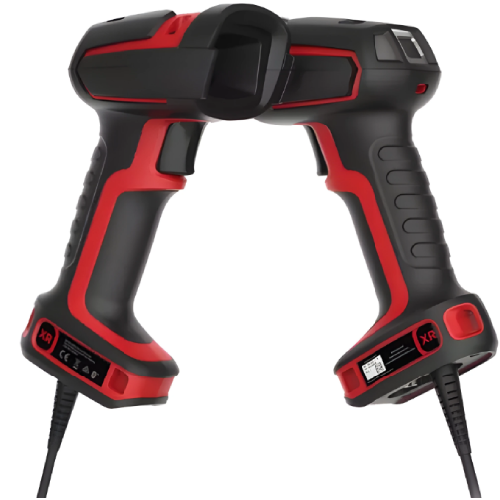
- Do you need multiple scanners with charging bases?
- Would a quick-charge or battery-free scanner be beneficial?
- Will a ring scanner improve your pick-and-pack process?
One Scanner Category.
Many Ways to Work.
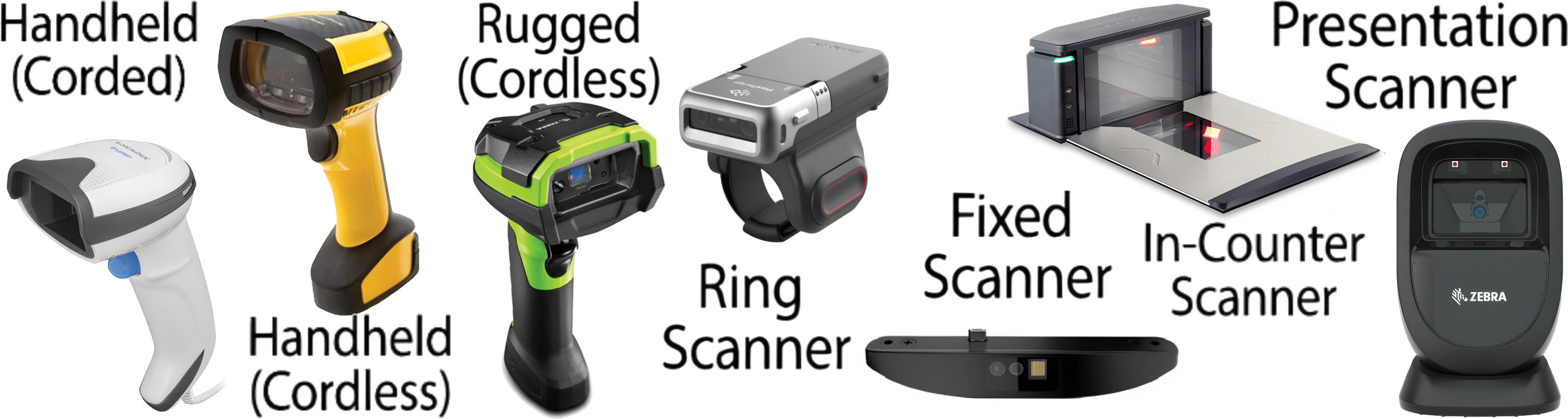
Barcode scanners come in a variety of designs to accommodate different workflows. Features such as audio, vibration, green-dot indicators, and scan patterns can also vary by model. Explore the different form factors below to help determine what works best for your operation.
Handheld Scanners
Handheld scanners are among the most common
scanner types. Users aim the scanner at a
barcode and pull the trigger to scan.
Corded models typically connect through USB,
serial, Ethernet, or keyboard wedge.
Cordless models use Bluetooth or RF wireless.
Consider battery charging and wireless
infrastructure when choosing a cordless model.
Shop Corded
|
Shop Cordless
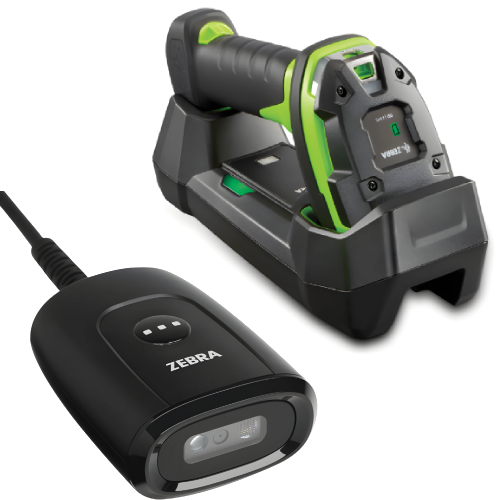
Rugged Scanners
Built for demanding environments, rugged
scanners are commonly used in industrial
applications and on forklifts with
vehicle-mounted computers. Depending on
the model, they can withstand drops,
extreme temperatures, and challenging
operating conditions.
Shop Rugged
Scanners
|
Explore Zebra 3600
Series
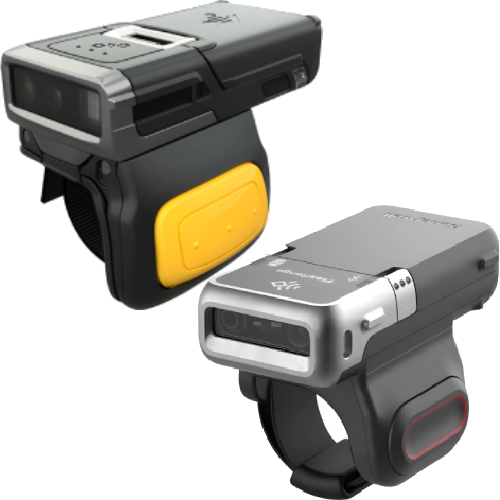
Ring Scanners
Ring scanners support hands-free workflows
for picking, packing, parts handling, and
quality checks. These wearable scanners
can be wireless or tethered to a
wrist-mounted mobile computer. Options
include two-finger and glove-mounted designs
for different users and applications.
Shop Ring Scanners
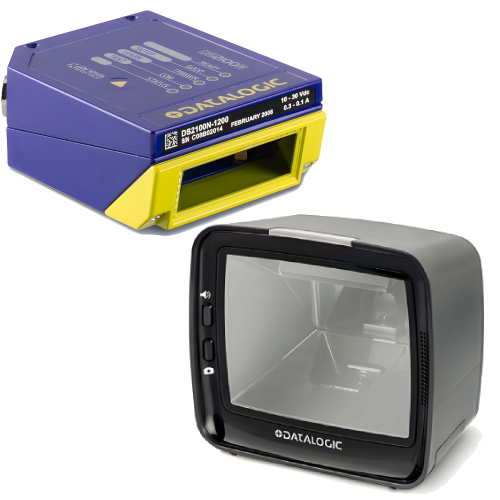
Fixed-Mount Scanners
Fixed-mount scanners are integrated into
automated systems to read barcodes from
a stationary location. They are commonly
used on assembly lines, conveyor systems,
and kiosks where products pass through
a consistent scanning area.
Shop Fixed-Mount Scanners
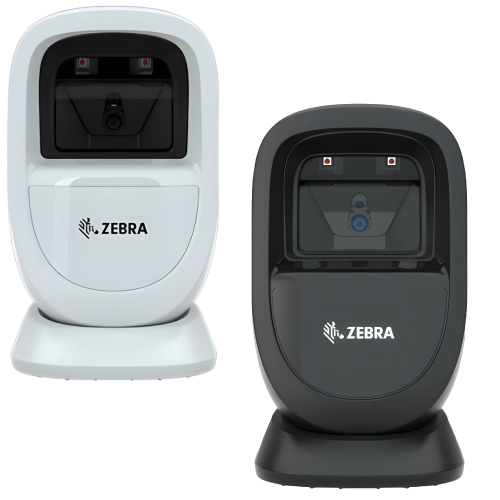
Presentation Scanners
Designed for hands-free scanning,
presentation scanners are commonly used
at retail checkouts. They sit on a
countertop and provide a wide reading
area, reducing the need for users to
manually aim or trigger each scan.
Shop Presentation
Scanners
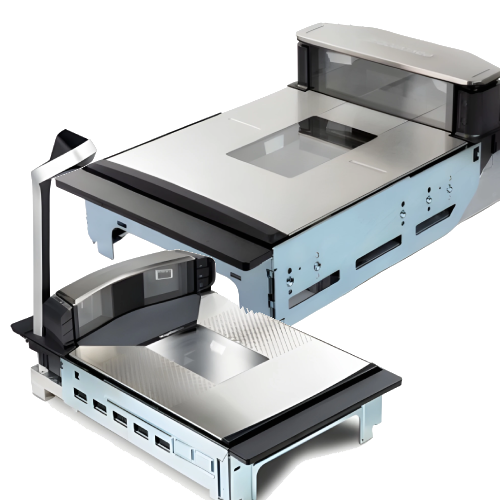
In-Counter Scanners
Often found in grocery stores, in-counter
scanners are integrated into checkout
systems, conveyor belts, and self-checkouts.
Multiple scanning elements can read
barcodes from different orientations.
Available options accommodate varying
checkout speeds and scanning needs.
Shop In-Counter
Scanners
From Fortune 500 companies to your small business, 125,000+ companies trust our products, service, and support.










Let's Find Your Ideal Barcode Scanner
Every application is different. Contact BarcodeFactory for help identifying scanner technology, connectivity, durability, and form-factor options that fit your operation.
BarcodeFactory | Barcode Scanner Buying Guide
For more information or to discuss your project, Contact Us or call 888-237-8525.