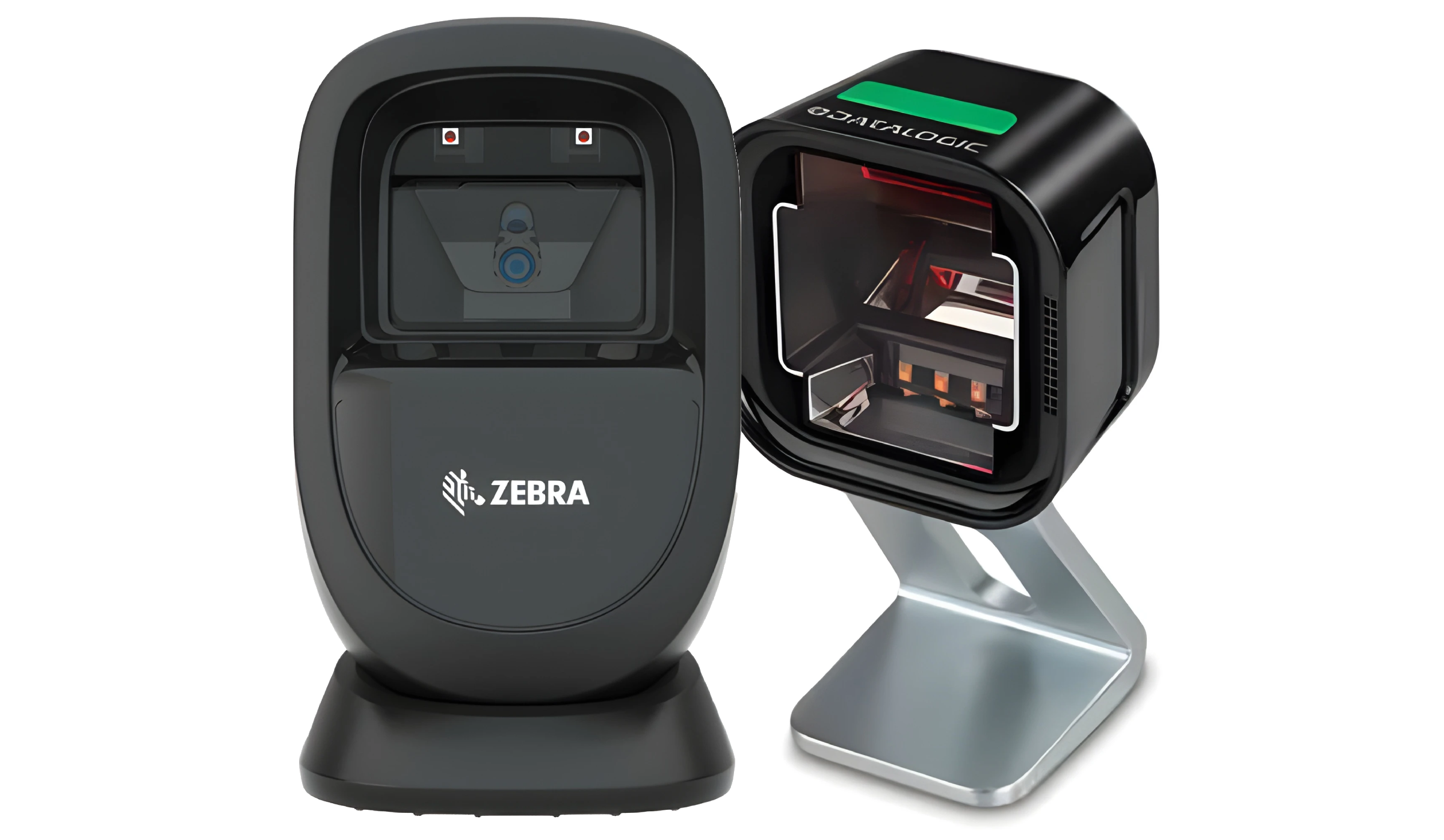
Datalogic Magellan 1500i
A compact presentation imager for supported 1D and 2D codes from printed and mobile sources. Review the mounting, interface and kit configuration for your counter layout.
Explore Magellan 1500iSee Our Holiday Hours


Make customer-presented barcodes easier to capture.
Scan mobile coupons, loyalty identifiers, printed offers and supported gift-card barcodes at the counter or drive-thru. The right scanner can let customers present a code without handing their phone or coupon to an employee.
Mobile codes · Printed coupons · Customer-facing scanning
A customer-facing scanner can reduce the need to pass personal items across the counter. Position it where the customer can present the code and the operator can confirm that the POS accepted it.
A presentation scanner creates a consistent scan point for coupons, loyalty codes and other supported customer identifiers.
A suitable handheld or mounted setup can help staff reach customer-presented codes. Check reach, lighting, cable routing and exposure conditions.
A 2D area imager can support common 1D and 2D formats, including QR Codes, when supported by the selected scanner and POS application.
Barcode capture and payment processing are separate. A scanner can read a supported payment or gift-card barcode, but the POS and payment service must support that transaction. A barcode scanner does not provide NFC, chip or magnetic-stripe payment processing.
Compare these customer-facing scanning options, then validate your actual coupons, phone displays and POS connection.
A compact presentation imager for supported 1D and 2D codes from printed and mobile sources. Review the mounting, interface and kit configuration for your counter layout.
Explore Magellan 1500iA presentation scanner to consider for mobile coupons, loyalty codes and printed barcodes. Check supported symbologies, host interface and positioning for the application.
Explore Zebra DS9308Consider how far operators move from the host and how often the scanner can return to its base.
| Configuration | Potential Fit | What to Confirm |
|---|---|---|
| Corded Handheld | Operator-directed scanning near a POS terminal. | Cable length, host interface and safe cable routing. Xenon XP 1950g is a corded example. |
| Battery-Powered Cordless | Tasks requiring movement away from a workstation. | Radio range, battery runtime, charging and base compatibility. Xenon XP 1952g is a battery-powered example. |
| Battery-Free Cordless | Short cordless tasks with regular opportunities to recharge at the base. | Scan volume between charges and charging power. Xenon XP 1952g-bf uses supercapacitors; it is a distinct configuration. |
| Presentation | A consistent hands-free scan point for customers or employees. | Reading area, mounting angle, counter space and POS acceptance of the captured data. |
Configuration and availability vary. Compare the exact part number and complete kit rather than relying on the family name alone.
Send our team representative barcodes and a description of the workstation. Useful details include:
Validate challenging conditions. Screen damage, dim displays and sunlight can affect performance. Test the chosen scanner under the conditions at your location instead of assuming every code will read.
Compare the scanner and required accessories together. A scanner-only part number may not include the cable, stand, cradle or power supply needed for deployment.
Availability and commercial terms depend on the product and current program.
Tell BarcodeFactory about your POS system, customer-presented codes and counter or drive-thru layout. We can help compare scanners and accessories for your operation.
From Fortune 500 companies to your small business, 125,000+ companies trust our products, service, and support.









Barcode Factory is a premier partner with the industry's leading hardware, media, and software providers. We give our customers access to proven products, services, and resources for labeling and data capture applications.
Shop by Brands



For more information or to discuss your project, Contact Us or call 888-237-8525.