


POS Cash Drawer Solutions
Keep checkout operations organized with POS cash drawers designed for retail, hospitality, and other business environments. Learn how drawer size, till configuration, triggering methods, and equipment compatibility affect your point-of-sale setup.
Whether you are equipping a new checkout counter or replacing an existing cash drawer, understanding your register, receipt printer, and connection requirements can help you identify suitable hardware.
Explore Cash Drawer Options Get Expert Help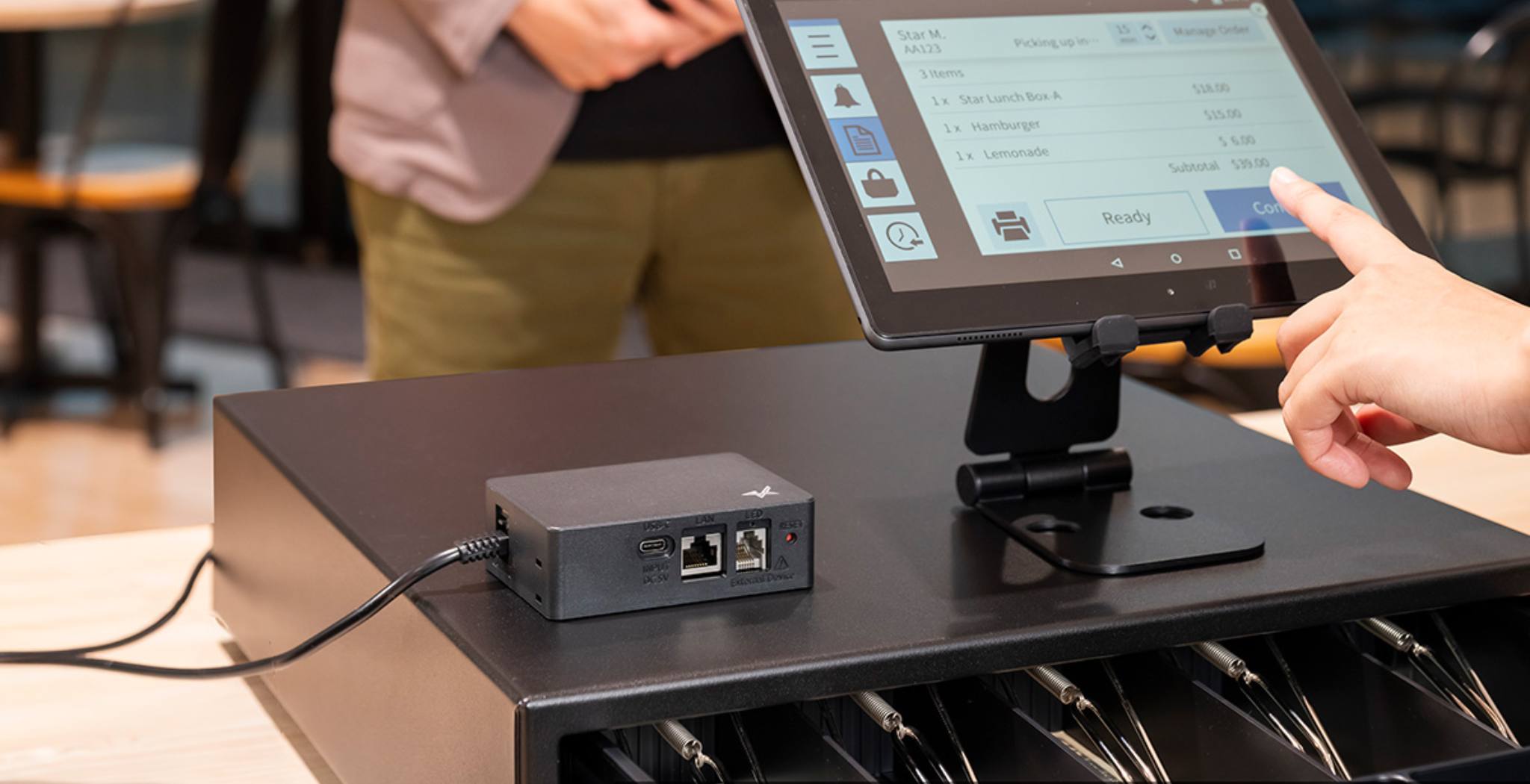
Find the Right Cash Drawer for Your POS System
A cash drawer is an important part of a traditional point-of-sale checkout. It provides a designated place to organize cash, coins, and other accepted forms of payment while helping employees manage transactions. Selecting the right drawer involves more than its external dimensions. The till layout, opening mechanism, interface, and compatibility with your existing POS equipment all matter.
Types of POS Cash Drawers
Cash drawers differ in how they open, connect to checkout equipment, and organize cash. Understanding these differences can help you compare available models and identify the features that matter for your business.
Manual Cash Drawers
Manual cash drawers are opened by hand rather than relying on an electronic trigger from a POS system. They may be suitable for certain basic cash-handling setups or situations where electronic drawer activation is not required.
What to consider: Locking options, drawer dimensions, till layout, mounting, and how employees will access the drawer during a shift.
Electronically Triggered Drawers
Electronic cash drawers are commonly opened through a compatible POS system or receipt printer when an authorized transaction or command triggers the opening mechanism.
What to consider: Triggering method, connector type, supported voltage and electrical requirements, and compatibility with the POS or printer.
Compact and Full-Size Drawers
Cash drawers are available in different external dimensions and internal till arrangements. Compact models can help conserve counter space, while larger configurations may provide more room for cash and coin organization.
What to consider: Available counter space, required till capacity, drawer extension, and the dimensions of the installation.
Choose the Right Drawer Size and Till Layout
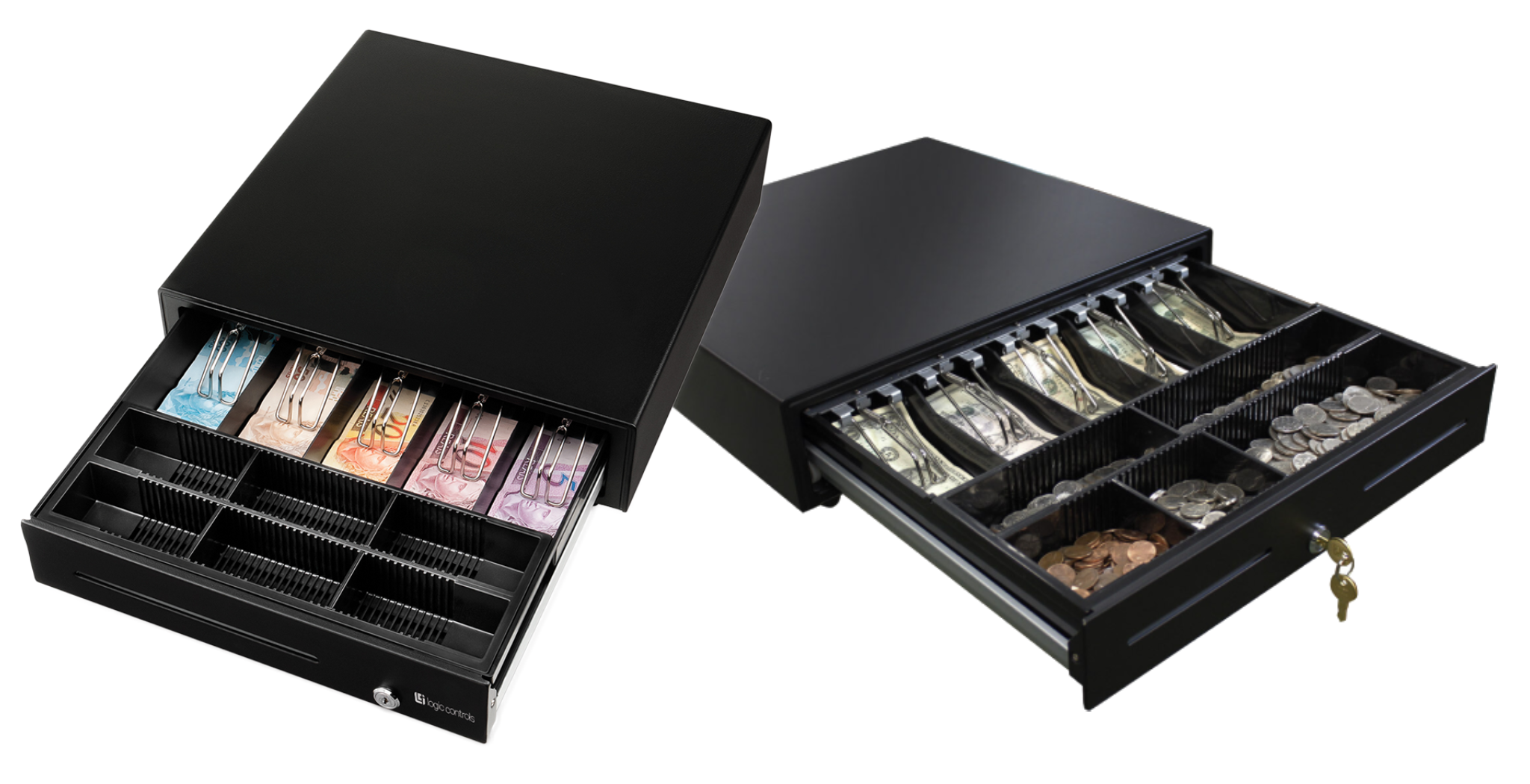
The external size of a cash drawer determines how it fits into a checkout counter, while its internal till determines how cash and coins can be organized. Evaluating both dimensions helps ensure that the drawer accommodates your daily transaction volume and available workspace.
- External dimensions: Measure the available counter space and account for the clearance needed to open the drawer fully.
- Bill compartments: Consider how many bill compartments your employees need and how they handle different denominations.
- Coin compartments: Evaluate the number and arrangement of coin sections required for your normal cash transactions.
- Removable till: Determine whether a removable cash tray or other till configuration would support your cash-handling procedures.
- Transaction volume: Consider the amount of cash handled throughout the day and how often employees replenish or remove the till.
How POS Cash Drawers Connect to Your Equipment
Many electronically triggered cash drawers work with a compatible receipt printer or POS system. The connection and triggering method must match the equipment being used. Understanding the signal path can help you avoid selecting a drawer that cannot be activated by your current setup.
Direct POS Connections
Some cash drawers are designed to connect through compatible interfaces or dedicated drawer-control hardware. The connector alone does not guarantee that a drawer can be controlled by the host system.
Confirm whether the model requires a dedicated interface, controller, supported driver, or a particular connection method.
Receipt Printer Connections
Many POS receipt printers include a cash drawer port that can trigger a compatible drawer when instructed by the POS application.
Check the printer's drawer connector, pin configuration, supported electrical specifications, and the software's ability to send the appropriate drawer-opening command.
Interfaces and Connectors
Cash drawers may use dedicated drawer connectors and specific electrical triggering requirements. Two connectors that look similar are not necessarily interchangeable.
Verify the exact connector, pinout, electrical requirements, and manufacturer compatibility information before connecting the equipment.
Software and POS Integration
The POS application must support the method used to trigger the cash drawer. A compatible physical connection may still require specific software settings or configuration.
Check the POS software, printer configuration, operating environment, and transaction workflow before deployment.
Explore POS Cash Drawer Manufacturers
Manufacturer specifications can help you compare drawer construction, available configurations, triggering methods, and compatibility requirements. Start with the brands available in your catalog and review the details of each individual product.

APG
Explore available APG cash drawer options and compare drawer dimensions, till configurations, locking features, and connection requirements for your point-of-sale environment.

Logic Controls
Review available Logic Controls cash drawer hardware and compare individual model specifications for installation, connectivity, and compatibility with your POS equipment.

Star Micronics
Explore Star Micronics cash drawer options and review model specifications, drawer dimensions, till layouts, and compatibility with supported receipt printers and POS systems.
How to Choose the Right POS Cash Drawer
Before selecting a drawer, compare the requirements of your checkout environment with the manufacturer's specifications. These considerations can help narrow your options and reduce compatibility issues.
Available Counter Space
Measure the installation area and consider the drawer's external dimensions, mounting arrangement, and clearance when fully opened.
Till Configuration
Evaluate the number and arrangement of bill and coin compartments, removable till requirements, and the cash volume your employees handle during a typical shift.
Triggering Method
Determine whether the drawer will open manually or be triggered electronically through a compatible POS system or receipt printer.
Hardware Compatibility
Verify the drawer connector, electrical specifications, printer support, POS software requirements, and any necessary interface hardware.
Security and Access
Consider locking options, employee access procedures, cash removal practices, and the security requirements of your business.
Replacement or New Installation
For a replacement, record the existing drawer model and connector specifications. For a new installation, confirm that the drawer works with your planned POS equipment.
Explore More POS Solutions
Cash drawers work alongside other checkout equipment to help keep transactions organized. Consider the receipt printing and POS hardware needed to complete your installation.
POS Receipt Printers
Explore receipt printers for retail and hospitality checkout environments. If you plan to trigger a cash drawer through a printer, verify the printer's drawer port and supported configuration.
Explore POS Receipt Printers →POS Touchscreens
Explore touchscreen hardware for interactive checkout stations and point-of-sale applications. Consider the available counter space and arrangement of your entire workstation.
Need Help Finding the Right Cash Drawer?
Selecting a cash drawer involves more than choosing a size. Our team can help you identify the specifications, connection requirements, and compatibility details to review for your POS environment.
Get Expert HelpTrusted by Businesses Nationwide
From Fortune 500 companies to your small business, 125,000+ companies trust our products, service, and support.











Our Top Partners
Barcode Factory is a premier partner with the industry's leading hardware, media, and software providers. We give our customers access to proven products, services, and resources for labeling and data capture applications.
Shop by Brands




For more information or to discuss your project, Contact Us or call 888-237-8525.