POS Barcode Scanners
Barcode scanners help customers or staff identify products during checkout. Choose a scanner based on the barcodes, scanning distance, and environment involved in your workflow.
Explore POS ScannersSee Our Holiday Hours



Explore point-of-sale hardware that can support customer-operated checkout experiences. From barcode scanners and touchscreen displays to receipt printers and peripherals, BarcodeFactory helps businesses find hardware for their checkout workflows.
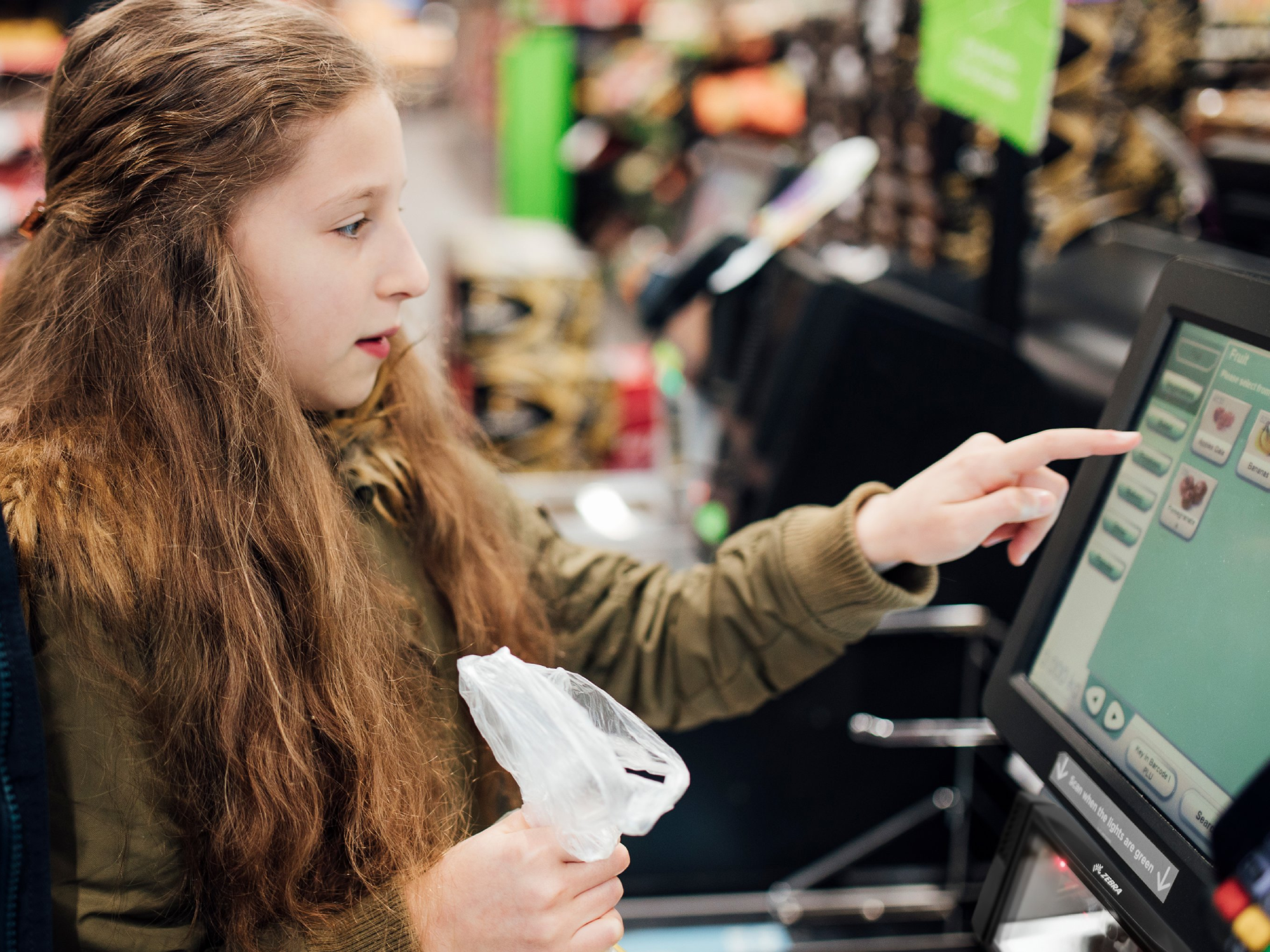
Support checkout workflows that let customers scan and process items themselves.
Explore scanning, display, printing, and peripheral options for your setup.
Choose equipment based on your checkout process, environment, and system requirements.
Self-service point-of-sale (POS) systems allow customers to complete some or all of their checkout process with limited assistance from store staff. Depending on the setup, customers may scan product barcodes, review items on a display, and use connected equipment to complete a transaction.
The hardware behind these experiences can vary from one business to another. A retailer may need a barcode scanner and touchscreen, while another setup may also require receipt printing, payment hardware, or additional peripherals.
BarcodeFactory helps businesses explore barcode scanning and point-of-sale hardware that may fit their operational needs.
The right combination of hardware depends on how your checkout station will operate. Explore related BarcodeFactory categories to identify equipment that may fit your requirements.
Barcode scanners help customers or staff identify products during checkout. Choose a scanner based on the barcodes, scanning distance, and environment involved in your workflow.
Explore POS ScannersTouchscreen displays can provide an interactive interface for supported self-service applications. Confirm screen size, mounting needs, connectivity, and software compatibility.
Explore POS MonitorsReceipt printers can provide printed transaction records when required by the checkout process. Consider printer compatibility, connection options, and expected print volume.
Explore POS PrintersPayment hardware may be part of a self-service checkout station. Reader selection should be coordinated with the payment platform, POS software, and applicable security needs.
Ask About Payment HardwareStands, mounts, cables, and other compatible peripherals can help organize a checkout station. Requirements depend on the devices and installation.
Explore POS AccessoriesWhere printed receipts are needed, the correct paper size and media type help keep compatible receipt printers supplied for daily use.
Shop Receipt PaperSelf-service hardware can support a range of customer-facing environments. The right approach depends on store operations, transaction types, and customer needs.
Support customer-operated scanning and checkout workflows for selected retail transactions.
Explore scanning and checkout hardware for stores that want to offer another way to check out.
Consider touchscreen and peripheral options for supported customer-operated transaction points.
Evaluate compatible hardware when updating or expanding an established point-of-sale setup.
Self-service checkout equipment needs to work together with the POS application and the way your business handles transactions. Start with the workflow and then identify the hardware that is appropriate for the environment.
Not every station requires every device shown on this page. Your software provider or POS integrator can help confirm system requirements and supported equipment before you purchase.
Determine which tasks customers will complete themselves and which tasks require staff assistance.
Consider scanners, displays, printers, payment readers, and any necessary accessories.
Verify software support, device interfaces, mounting, available space, and power requirements.
Account for expected transaction volume, cleaning, consumables, maintenance, and staff support.
Browse additional BarcodeFactory categories to find equipment for your retail checkout environment.
Every checkout environment is different. Contact BarcodeFactory to discuss your hardware needs and explore available products for your application.
From Fortune 500 companies to your small business, 125,000+ companies trust our products, service, and support.












Barcode Factory is a premier partner with the industry's leading hardware, media, and software providers. We give our customers access to proven products, services, and resources for labeling and data capture applications.
Shop by Brands




For more information or to discuss your project, Contact Us or call 888-237-8525.