


Turn Cvent Check-In Into a Seamless Badge Printing Experience
Pair Cvent's onsite event check-in and badging capabilities with the right Zebra printing hardware, badge media, and connectivity for fast, professional on-demand badge printing.
Print Badges When Attendees Arrive
Cvent OnArrival supports onsite check-in, attendee management, and on-demand badge printing. Instead of sorting through stacks of pre-printed badges, event teams can print badges as attendees arrive, including for walk-ins, changes, and reprints.
Find the Attendee
Search or scan attendee information from the Cvent onsite check-in workflow.
Confirm Details
Review attendee information and make appropriate onsite changes when needed.
Print the Badge
Send the badge to a configured printer for fast, on-demand production.
Hand It Off
Deliver a professional badge immediately and keep attendees moving.
Printer Options for Your Event Environment
Printer requirements can vary based on your Cvent configuration, badge format, connection method, and event setup. Barcode Factory can help select current Zebra hardware rather than relying on discontinued printer models from older Cvent documentation.
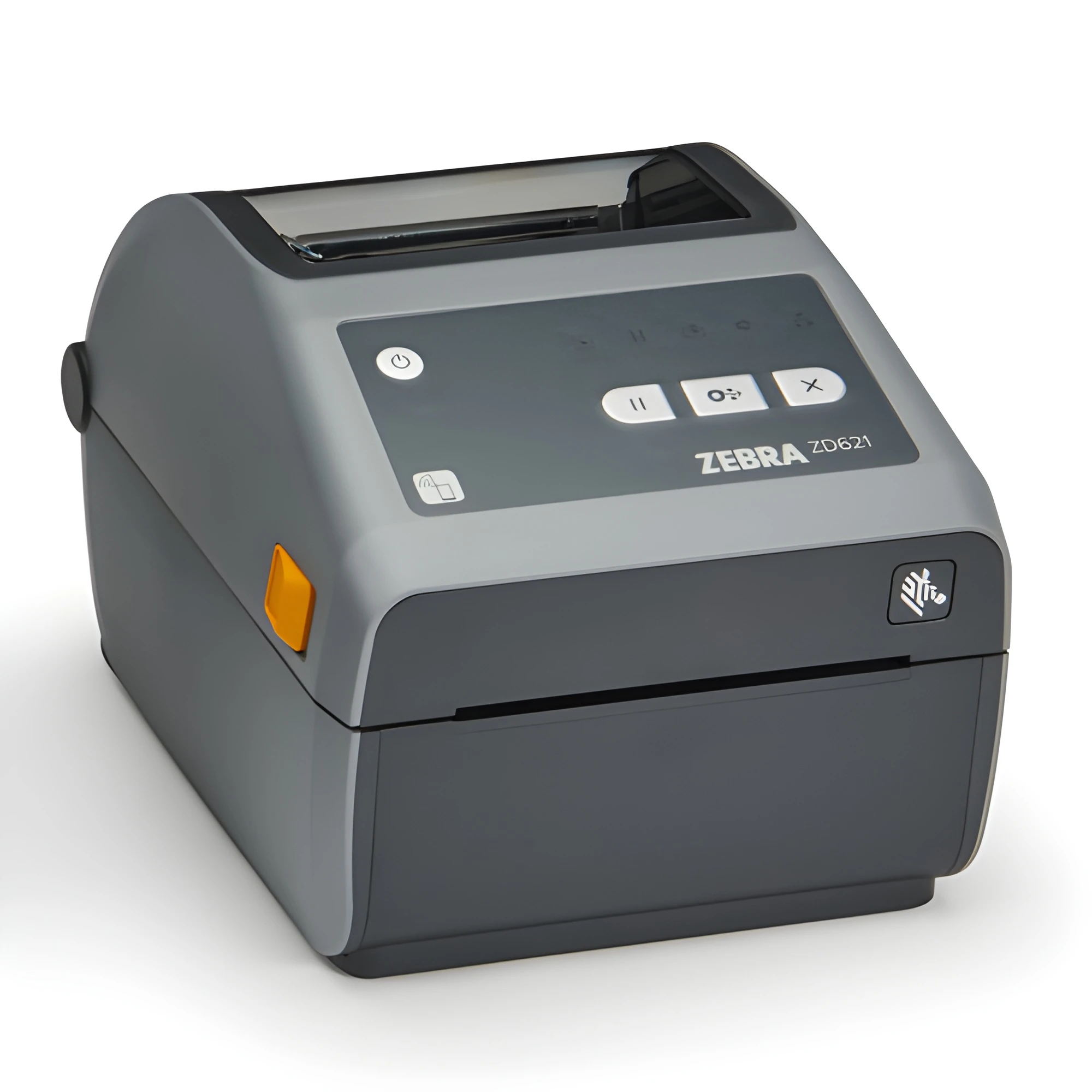
Zebra ZD621
A current-generation Zebra desktop printer suited for registration desks and other fixed event check-in stations.
- 4-inch class desktop printing
- Direct thermal and thermal transfer configurations
- Ethernet and USB connectivity options
- Bluetooth options available
- Current replacement for the discontinued ZD500 family
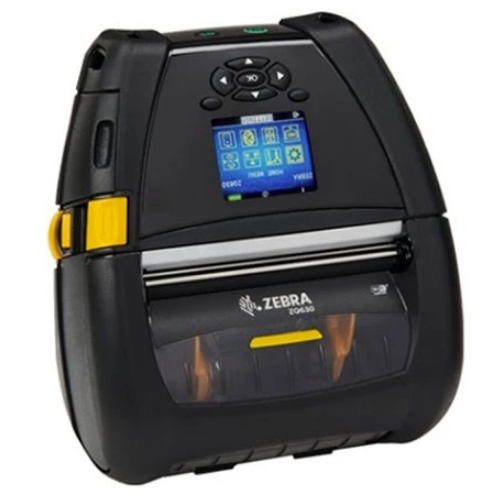
Zebra ZQ630
A mobile Zebra printer for applications where badge printing needs to move with the registration team or operate away from a traditional desktop station.
- 4-inch mobile printing
- Battery-powered operation
- Bluetooth and wireless configurations
- Portable event check-in applications
- Part of the ZQ600 family that replaced the QLn platform
Connect Check-In, Printing & Attendee Data
Modern Cvent OnArrival workflows can support more than simply printing a name badge. Event teams can check attendees in, handle walk-ins, update information, reprint badges, and track attendance from the onsite environment.
- On-demand badge printing
- Walk-in registration workflows
- Badge editing and reprinting
- QR code and attendee identification
- Real-time attendance information
What Changed From the Old Printer List?
The original version of this page listed a number of Zebra models that are now legacy or discontinued products. Rather than continuing to advertise those models, this page focuses on current hardware.
- ZD500 → replaced by the Zebra ZD621 family
- QLn220 / QLn320 / QLn420 → replaced by the ZQ600 family
- Older iMZ models are no longer appropriate as current recommendations
- Older ZT200-series models should not be presented as new solutions
Connectivity Matters
The connection method is just as important as the printer model. USB, Ethernet, Bluetooth, Wi-Fi, iOS, Android, and desktop configurations can have different requirements depending on the Cvent workflow being used.
Before purchasing, we recommend confirming the exact Cvent configuration and device combination so the printer and connection method are matched correctly.
Cvent OnArrival
Learn more about Cvent's current onsite check-in, badge printing, attendance tracking, and event management capabilities.
Explore Cvent OnArrival →Need Help Choosing a Printer?
Tell us how you're using Cvent, what device your registration team will use, and what type of badge you're printing. We can help match the printer, connectivity, and badge stock to the event.
Contact Barcode Factory →Ready for a Better Cvent Badge Printing Setup?
Barcode Factory can help you move beyond outdated printer lists and build a current Cvent badge-printing solution around the hardware, connectivity, and badge media your event actually needs.
Talk to a Barcode Factory ExpertFrom Fortune 500 companies to your small business, 125,000+ companies trust our products, service, and support.









For more information or to discuss your project, Contact Us or call 888-237-8525.