Gap Sensing
A transmissive sensor typically detects the difference between the label-and-liner area and the liner-only gap. Some models also detect notches or holes; use the sensor arrangement specified for your printer.
See Our Holiday Hours


Match your labels, sensor and printer settings for consistent positioning.
Understand how gap detection, black registration marks and continuous media control label feeding. BarcodeFactory can help you review your label construction and printer requirements before choosing stock or custom media.
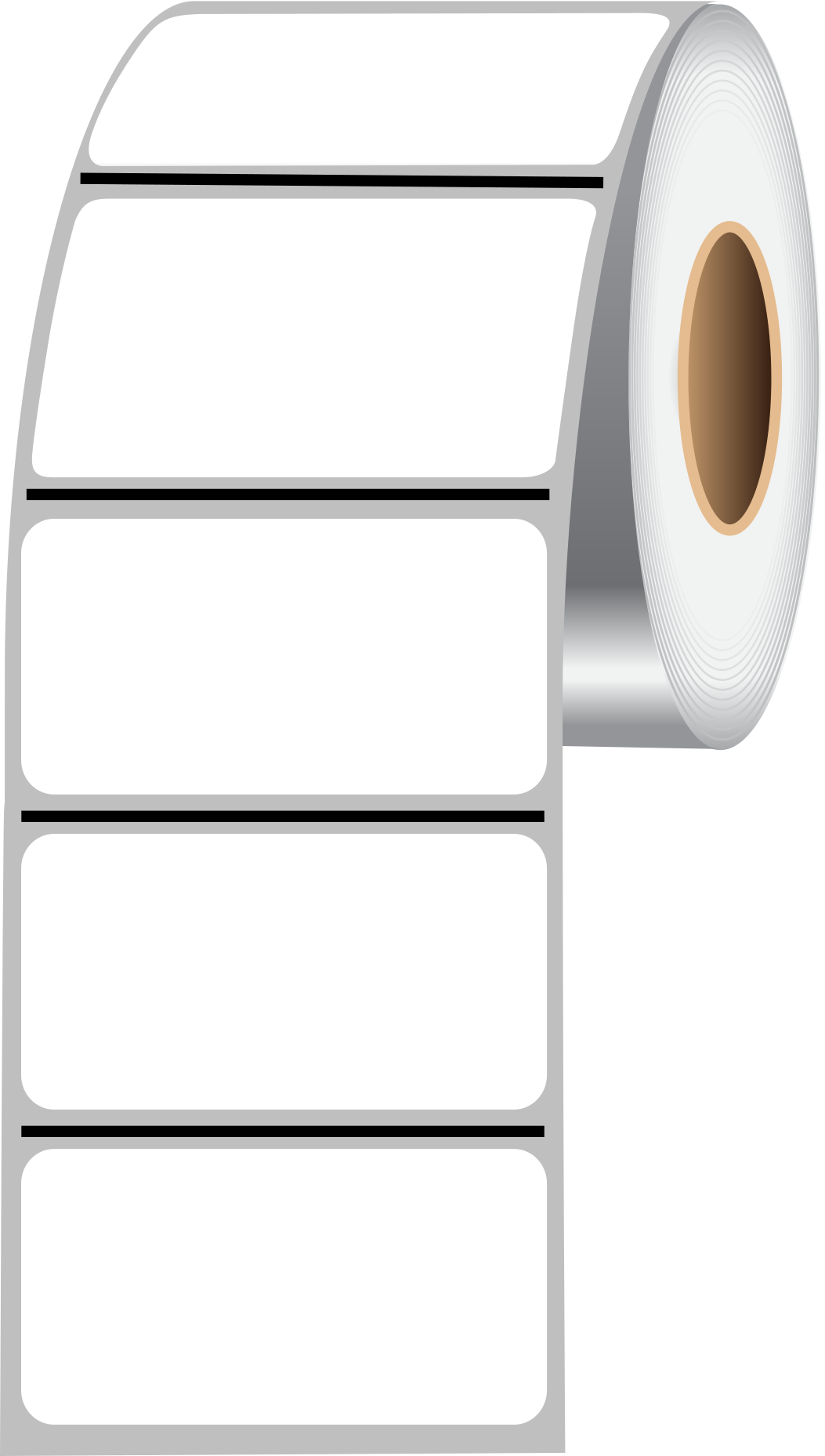
For individual labels or tags, the printer detects a registration feature such as a gap or printed mark to locate the next print area. Continuous stock has no repeating registration feature; its print length is set in the format or printer settings.
The available tracking options depend on your printer model. Sensor type and position must match the media construction, and driver or label-software settings must agree with the printer setup.
Print method and media sensing are separate settings. Direct thermal describes printing without a ribbon; thermal transfer uses a ribbon. Gap, mark or continuous describes how the printer tracks the media.
Match the tracking mode to the label or tag construction and the sensing capabilities of the printer.
A transmissive sensor typically detects the difference between the label-and-liner area and the liner-only gap. Some models also detect notches or holes; use the sensor arrangement specified for your printer.
A reflective sensor reads a dark registration mark, commonly on the back of the liner or tag. The mark must pass across the sensor's detection path and meet the printer's media specifications.
Continuous labels, paper or tape have no individual gaps or registration marks. The print format controls the image length, while supported tear-off or cutting options determine how output is separated.
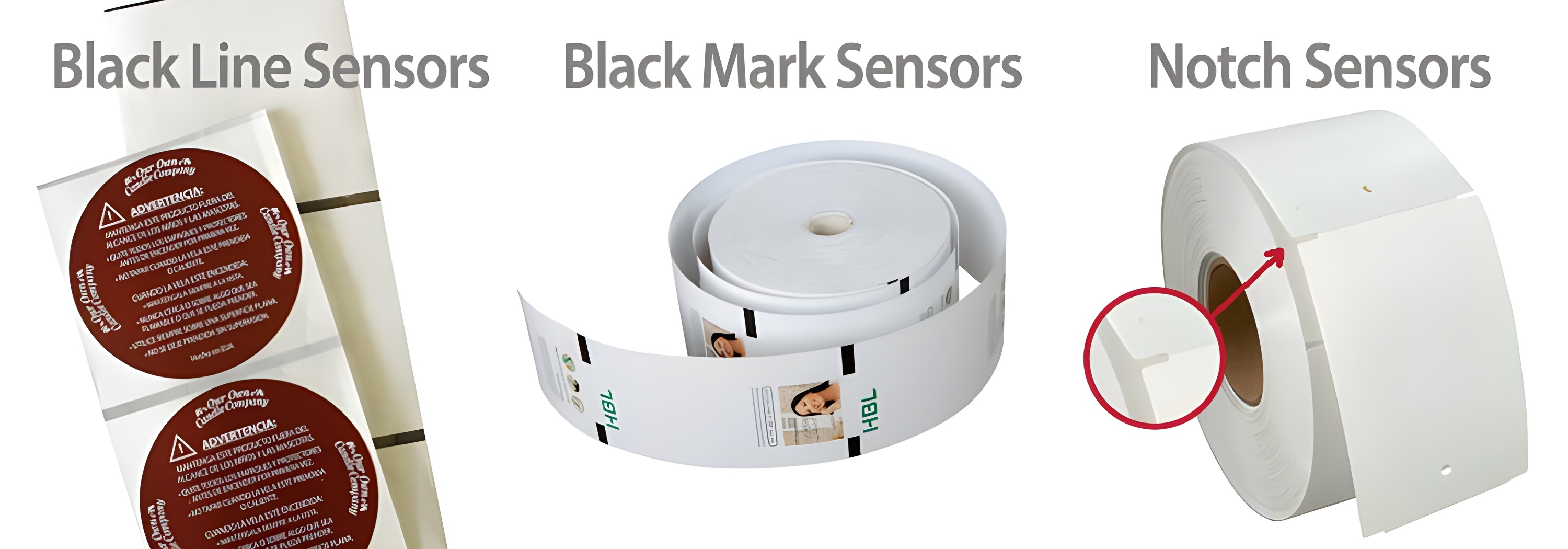
As media advances, the sensor detects a mark and the printer uses that position to locate the print area. Consistent mark spacing supports repeatable registration.
Specify the mark's size, position, spacing and contrast to suit the printer. Check which side of the media the sensor reads and whether the sensor is fixed or adjustable.
Black marks can help with certain clear, shaped or specialty labels, but they are not required for every application. Adding marks may increase production costs; evaluate the label design and printer together.
Unusual shapes, transparent materials and preprinted artwork can change what the sensor detects. Review these details before finalizing a custom label.
Transparent constructions may provide too little contrast for conventional gap detection. A compatible black mark on the liner or another model-supported method may be needed.
Choose a sensor path that encounters a consistent label edge and gap. Notches, holes and multi-column layouts need review against the printer's sensor reach and media requirements.
Dark graphics on the label or liner can interfere with optical detection. Review artwork and sensor placement together, especially near the registration path.
Small labels, narrow sections and unusual liner layouts can be difficult to register. Confirm minimum label dimensions and evaluate gap or mark sensing for the exact design.
Follow the calibration procedure for your exact printer model. Calibration helps the printer measure the loaded media; it does not replace checking the tracking mode, sensor position and format dimensions.
| Symptom | What to review |
|---|---|
| Labels feed without stopping | Confirm the selected gap or mark mode, sensor alignment and whether the sensor can detect the registration feature. |
| Printer skips labels | Review label dimensions and calibration. Check whether artwork, cutouts or inconsistent gaps are being detected as extra registration points. |
| Print position drifts | Check the format length, media tracking settings, sensor path and media-guide alignment. Use the model's calibration or diagnostic tools where appropriate. |
| A new roll does not register | Compare its liner, gap, marks and construction with the previous supply. Follow the manufacturer's instructions for recalibrating after media changes. |
Use the printer's own setup guidance. Fixed and movable sensors have different alignment requirements. If calibration does not resolve detection, check sensor cleanliness and any sensor-profile tools using the manufacturer's instructions.
Send your printer model, label dimensions, material and a description of any feeding issues. BarcodeFactory can help you review stock or custom label options for your application.
Include your printer model, label size and shape, liner type, existing part number and any registration problems. If available, share the gap or black mark dimensions and how the media is currently configured.
Technical references: Zebra media setup and sensing modes, model-specific calibration guidance, and sensor-profile diagnostics.
From Fortune 500 companies to your small business, 125,000+ companies trust our products, service, and support.












Barcode Factory is a premier partner with the industry's leading hardware, media, and software providers. We give our customers access to proven products, services, and resources for labeling and data capture applications.
Shop by Brands





For more information or to discuss your project, Contact Us or call 888-237-8525.