Passive Tags
Battery-free passive tags draw operating energy from the reader’s field. Passive UHF tags communicate by modulating the reflected signal, a process called backscatter.
See Our Holiday Hours


Learn the basics. Choose a system around your operation.
Understand how RFID tags, antennas, readers and software work together to identify items and support tracking. BarcodeFactory can help you review the right combination for your workflow.
Radio frequency identification uses radio communication to capture information from a tag attached to or embedded in an item. A reader passes the captured data to software, where it can be linked to an inventory, asset or process record.
The chip stores information. The chip and antenna together form an inlay, which can be converted into an adhesive label or incorporated into a durable tag. The finished construction provides the attachment method and protection needed for the application.
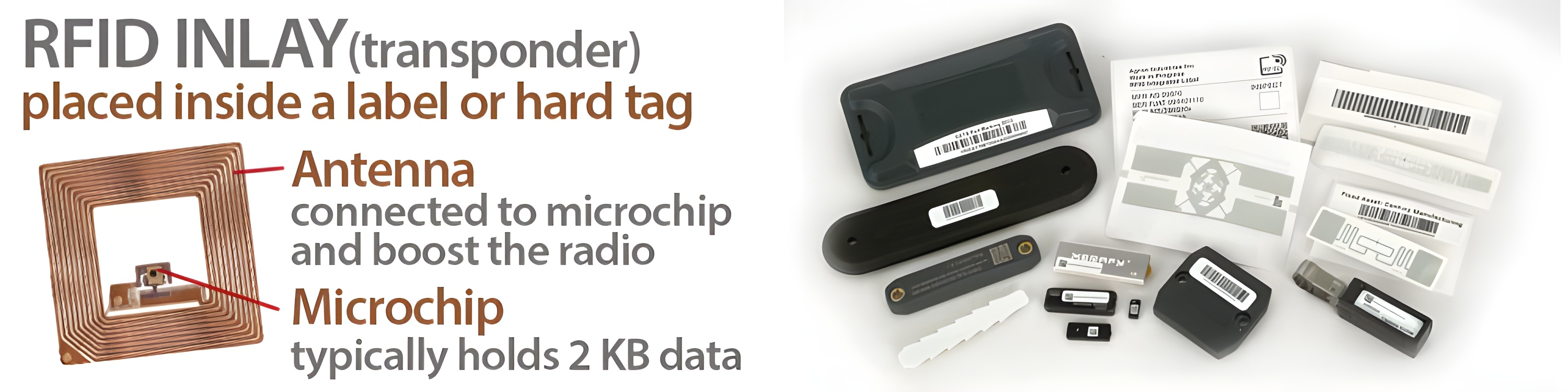
Frequency, protocol and power source affect compatibility and behavior. A tag and reader must support the same technology.
| Technology | Typical application considerations |
|---|---|
| Low-frequency RFID | Common in animal identification and some access-control applications. Confirm the specific protocol and reader requirements. |
| High-frequency RFID & NFC | Used for close-range interactions such as ticketing, access and compatible NFC applications. Exact standards and device support vary. |
| Passive UHF / RAIN RFID | Often selected for item-level inventory, assets and logistics. RAIN uses GS1 UHF Gen2 / ISO/IEC 18000-63 technology. |
| Active RFID | Tags use a powered transmitter, commonly with a battery. Review infrastructure, maintenance and location requirements for the selected system. |
Battery-free passive tags draw operating energy from the reader’s field. Passive UHF tags communicate by modulating the reflected signal, a process called backscatter.
Some passive designs use a battery to power circuitry or sensors while still using backscatter to communicate. They differ from active tags with powered radio transmitters.
Begin with a defined process and evaluate whether RFID improves how information is captured.

Associate tagged parts and containers with production steps and movement events.
Support counts, receiving and shipment checks within validated read zones.
Help offices, hospitals, manufacturers and retailers identify equipment during searches and audits.
Link tagged folders or records to a tracking application and defined handling process.
Record issue and return transactions for tools, equipment or reusable assets.
Support identification and documentation requirements where specified. Confirm the applicable data, tag and verification requirements for the project.
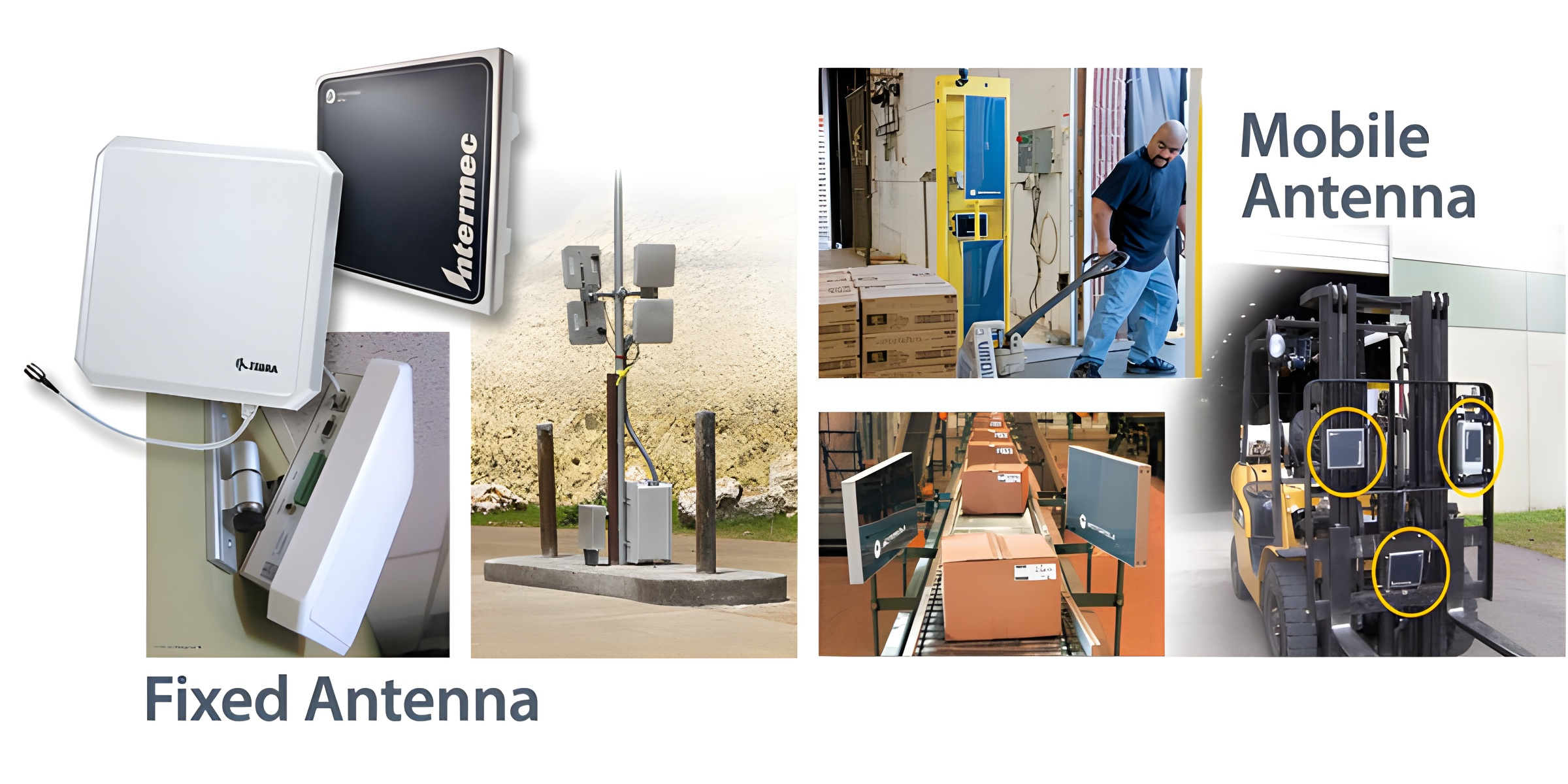
Reader antennas transmit and receive the radio signals used to communicate with tags. Antennas may be built into a reader or connected externally, depending on the equipment.
Placement, orientation, power, mounting and nearby materials affect the read area. Some workflows use a controlled passage point, such as a doorway or conveyor, while others use mobile capture.
Readers communicate with compatible tags and provide observations to an application. Connectivity, antenna ports, onboard processing and power requirements vary by model.
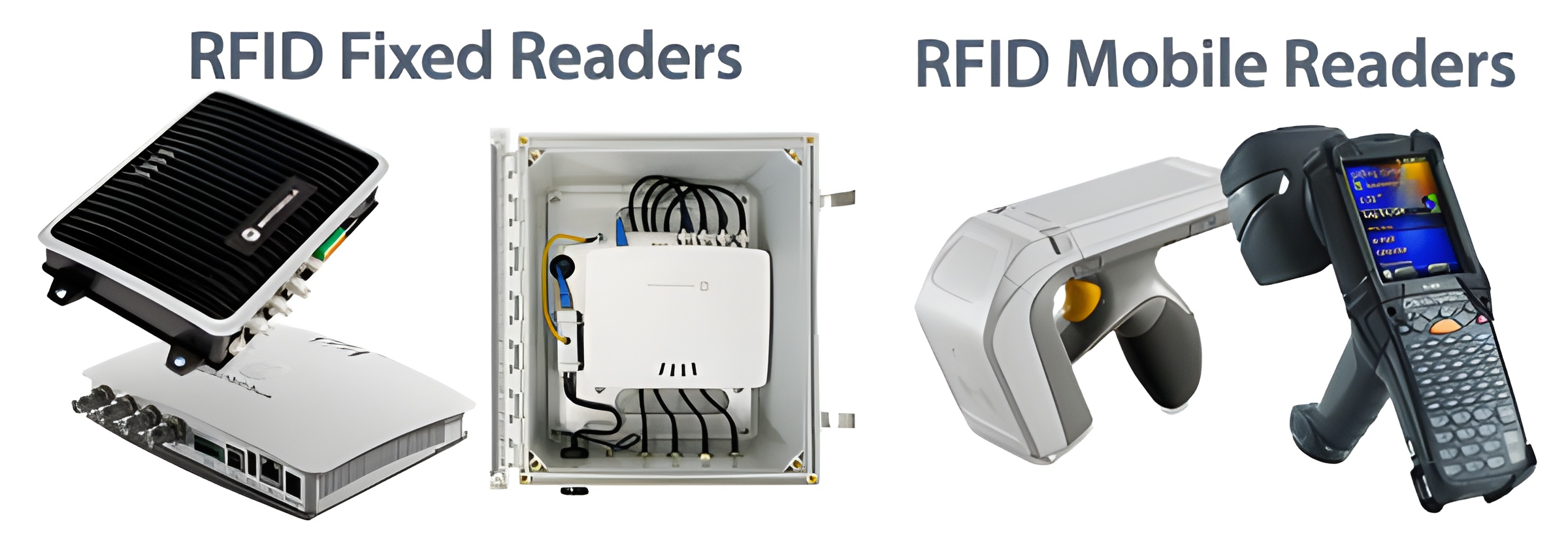
Installed at read points such as dock doors, conveyors, cabinets or production stations. Models may use integrated antennas or external antennas connected by RF cables.
Review the exact antenna count, regional certification, network interface, mounting and power requirements.
Useful for counts, item searches, asset audits and exception handling. Options include integrated mobile computers and reader sleds that connect to compatible host devices.
Confirm the host OS, app or SDK, wireless mode, battery needs and any offline data handling.
RFID applications and middleware interpret reader observations before sending useful events to inventory, asset, ERP or WMS systems. A site review informs the hardware plan; integration also requires a review of data formats, interfaces and business rules.
Support counts, lookup and item searches with an app designed for the selected reader and host device.
Translate detected tags into configured events, such as a receiving check or passage through a defined read point.
Filter repeated or unwanted reads, associate events with records and build reports around the information the operation needs.
Review how data enters the existing system, how exceptions are handled and which team owns configuration and support.
Identify the materials, attachment surface, handling, temperature and durability needs. Test the tag on the actual item.
Define what needs to be read, where, when and at what speed. Decide how to handle missed, duplicate and unrelated reads.
Agree on identifier formats, memory needs, software interfaces and how results will be measured before deployment.
No. Frequency, protocol, regional configuration and supported capabilities must match. Confirm the complete tag-and-reader combination.
A read identifies that a tag was detected by the configured equipment. Location estimates require appropriate antennas, infrastructure and software; an ordinary read does not automatically provide precise coordinates.
No. A label can include an RFID inlay, printed text and a barcode. Many operations use both technologies for different tasks.
Choose one workflow and define the desired outcome. Review representative items, site conditions and software needs, then test a limited deployment before expanding.
BarcodeFactory offers site analysis, tag testing, consulting, integration and installation. Share what you want to track, where it moves and which software needs the information.
From Fortune 500 companies to your small business, 125,000+ companies trust our products, service, and support.












Barcode Factory is a premier partner with the industry's leading hardware, media, and software providers. We give our customers access to proven products, services, and resources for labeling and data capture applications.
Shop by Brands





For more information or to discuss your project, Contact Us or call 888-237-8525.