


Choose the Right Print Resolution
203, 300 or 600 DPI? The right thermal printer resolution depends on your label size, barcode requirements, text size and application.
More DPI Means More Detail
Thermal printheads create images using rows of heated dots. The number of dots packed into each inch determines the level of detail the printer can reproduce. Choosing the right resolution helps ensure your text is readable, your barcodes scan reliably and your labels look the way they should.
203 DPI
A dependable choice for standard shipping labels, larger barcodes and general-purpose thermal printing.
300 DPI
A versatile option for smaller text, average-sized barcodes and many product, asset and shipping labels.
600 DPI
Designed for highly detailed labels where very small text, barcodes and fine graphics require additional precision.
Compare 203, 300 & 600 DPI
See how each resolution performs and where it makes the most sense for your application.
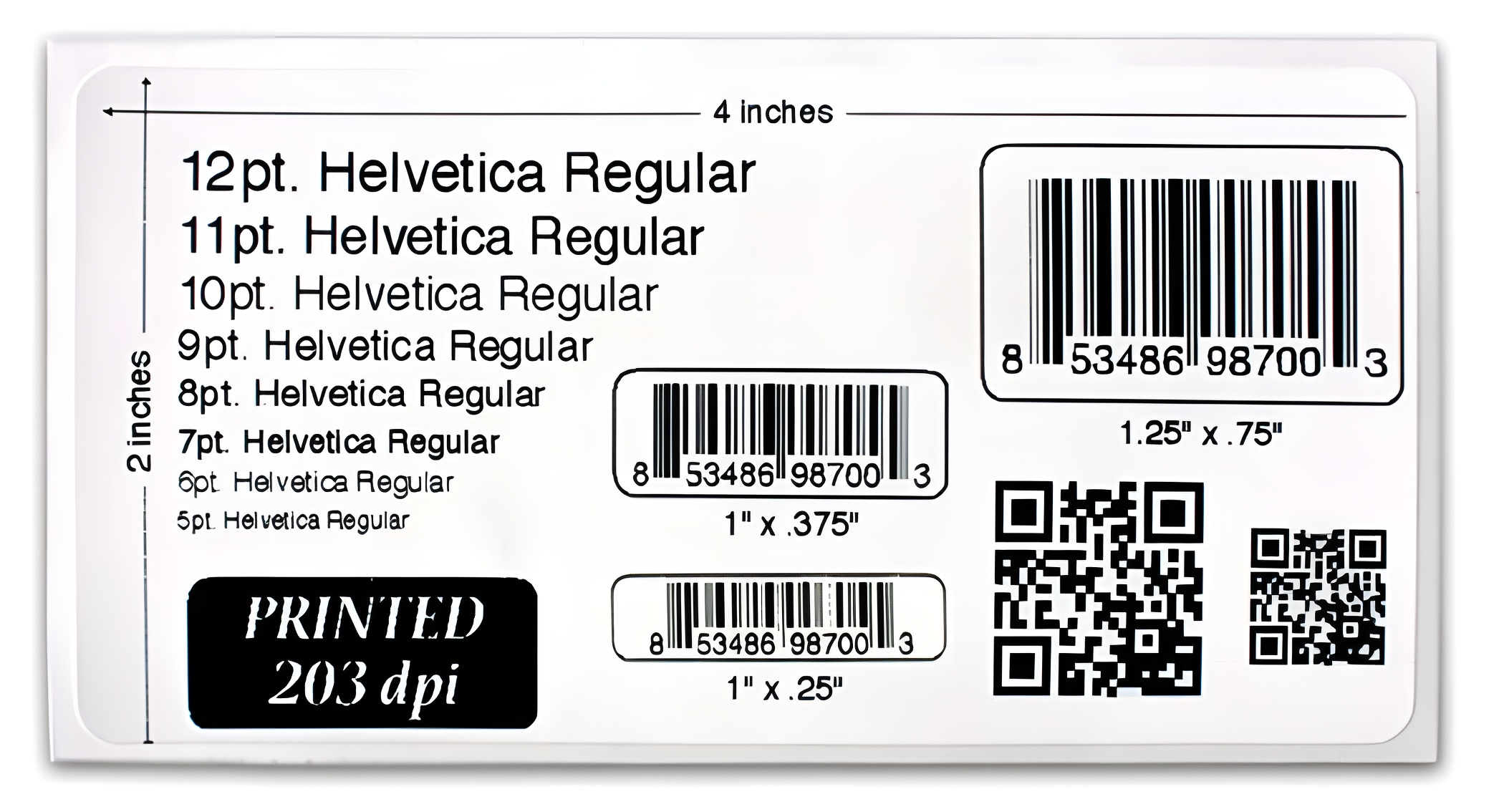
203 DPI Thermal Printing
203 DPI is the standard resolution for many everyday thermal printing applications. It provides clear results for larger text and barcodes without adding unnecessary printer cost.
- Direct thermal and thermal transfer labels
- Shipping labels with larger text and barcodes
- Standard paper and synthetic stocks
- General-purpose label printing
300 DPI Thermal Printing
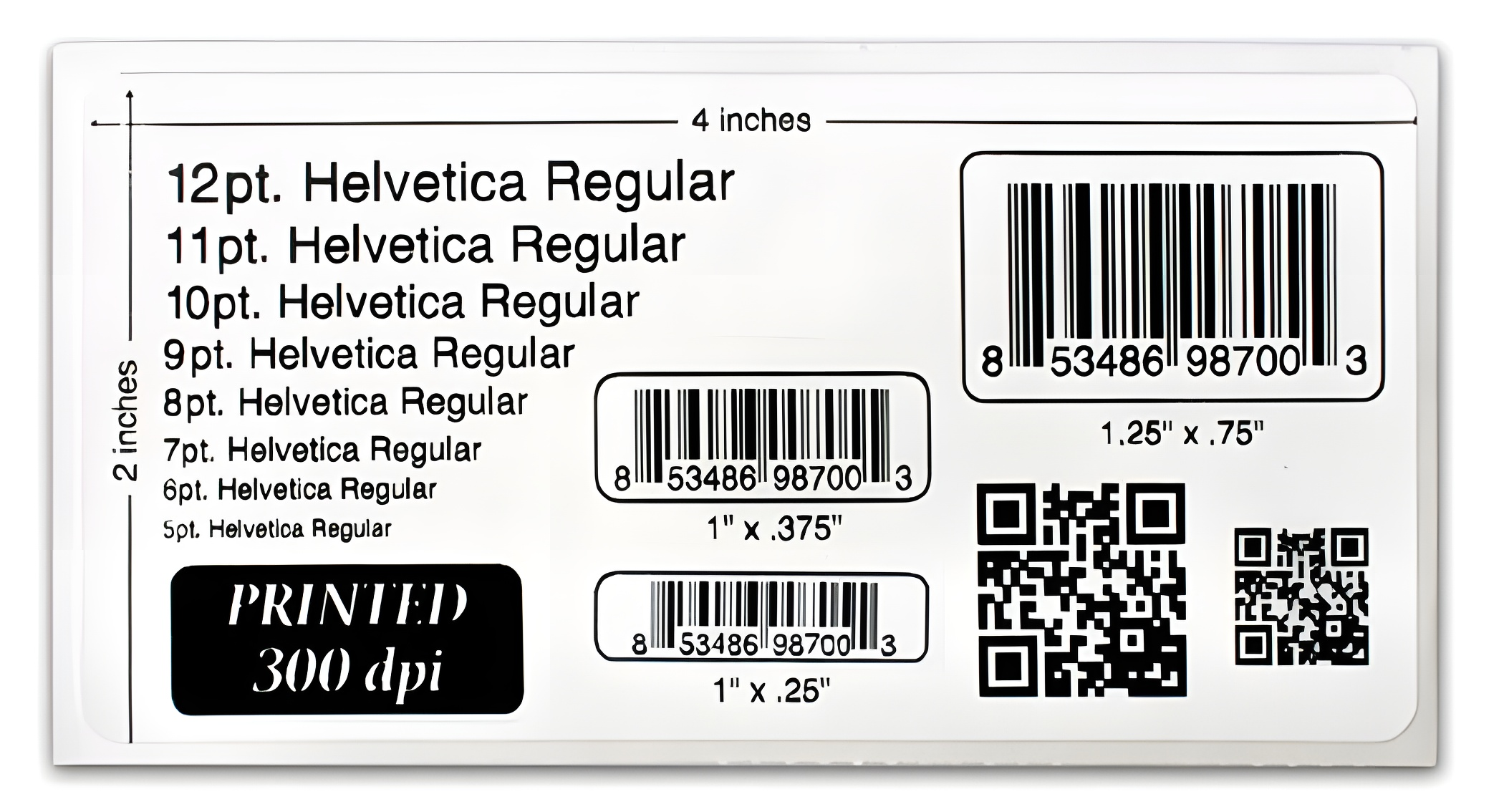
300 DPI provides additional detail while remaining suitable for a wide range of everyday label applications. It is particularly useful when labels contain smaller text or more compact barcodes.
- Shipping, asset and product labels
- Smaller text and average-sized barcodes
- Compact labels requiring greater detail
- Standard paper and synthetic stocks
600 DPI Thermal Printing
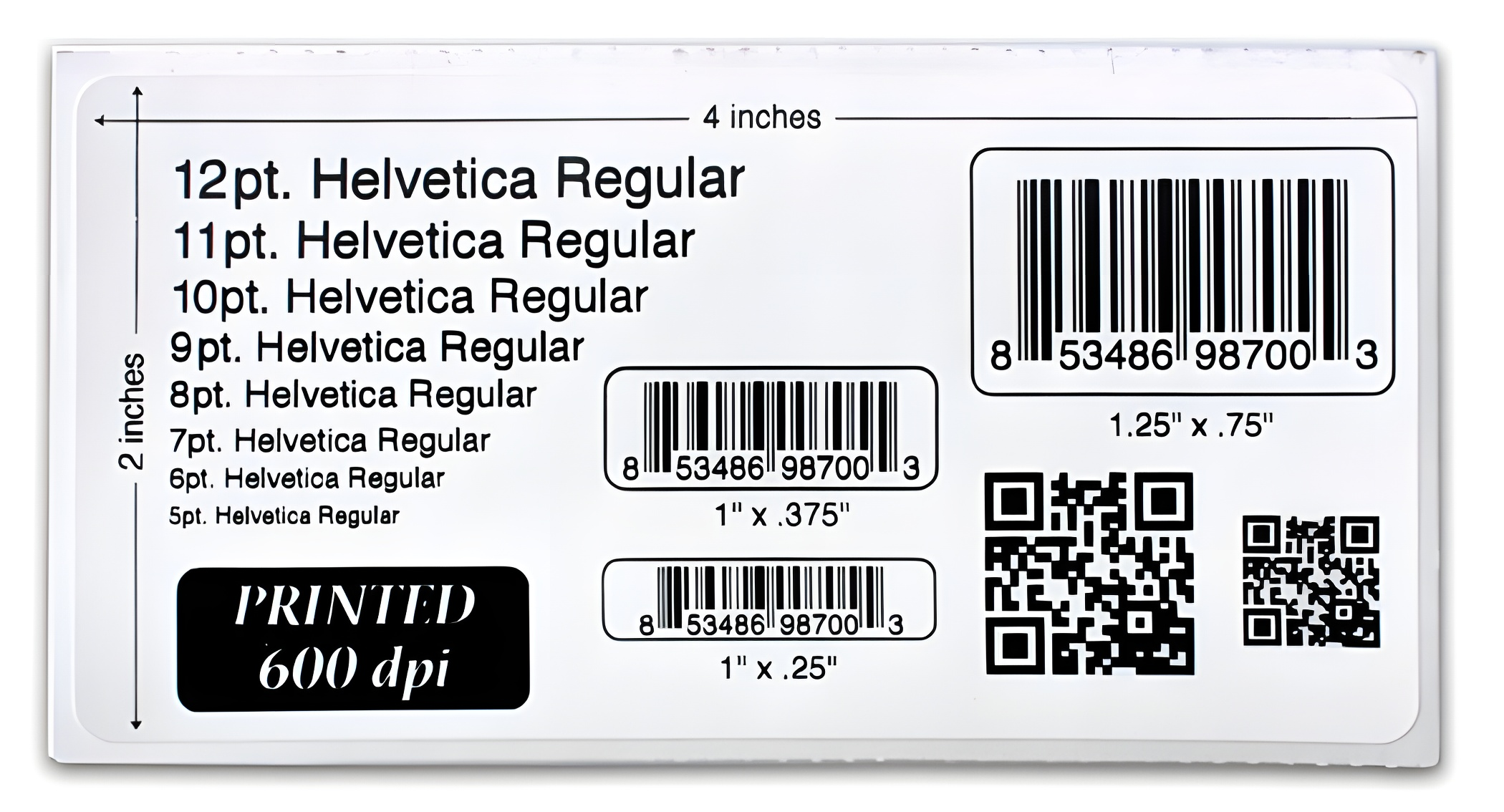
600 DPI is built for precision. The additional resolution can make a significant difference when working with very small labels, tiny text, dense barcodes and applications where fine detail is critical.
- Small electronics, jewelry and eyeglass labels
- Small asset and product labels
- Very small text and detailed barcodes
- Synthetic materials with appropriate ribbon selection
DPI Isn't the Only Factor
Print resolution is important, but the printer, ribbon, label material, print speed and temperature settings can all affect the final result. Your complete print setup should be considered when selecting a thermal printer.
See the Difference for Yourself
Compare actual 4" × 2" label samples printed at 203, 300 and 600 DPI. Download the PDF and print it at 100% scale for a visual reference of text and barcode sizes.
Download the 203 / 300 / 600 DPI SamplesNot Sure Which DPI You Need?
Choosing the right thermal printer starts with understanding your labels. Barcode Factory can help you match printer resolution, media and printing requirements to your application.
Talk to a Barcode Printing ExpertFrom Fortune 500 companies to your small business, 125,000+ companies trust our products, service, and support.












For more information or to discuss your project, Contact Us or call 888-237-8525.