Visible temperature information for storage, handling and shipping.
Explore heat, freeze, reversible and shipment indicators for temperature-sensitive products.
BarcodeFactory can help you compare Zebra indicator families, response profiles and application formats
around your product requirements.
Match the response temperature, duration and format to the intended monitoring task.
Explore the Solutions
Choose the Indicator for the Temperature Risk
Identify the exposure or temperature transition you need to see, then review the specifications for the
selected model.
Heat Exposure
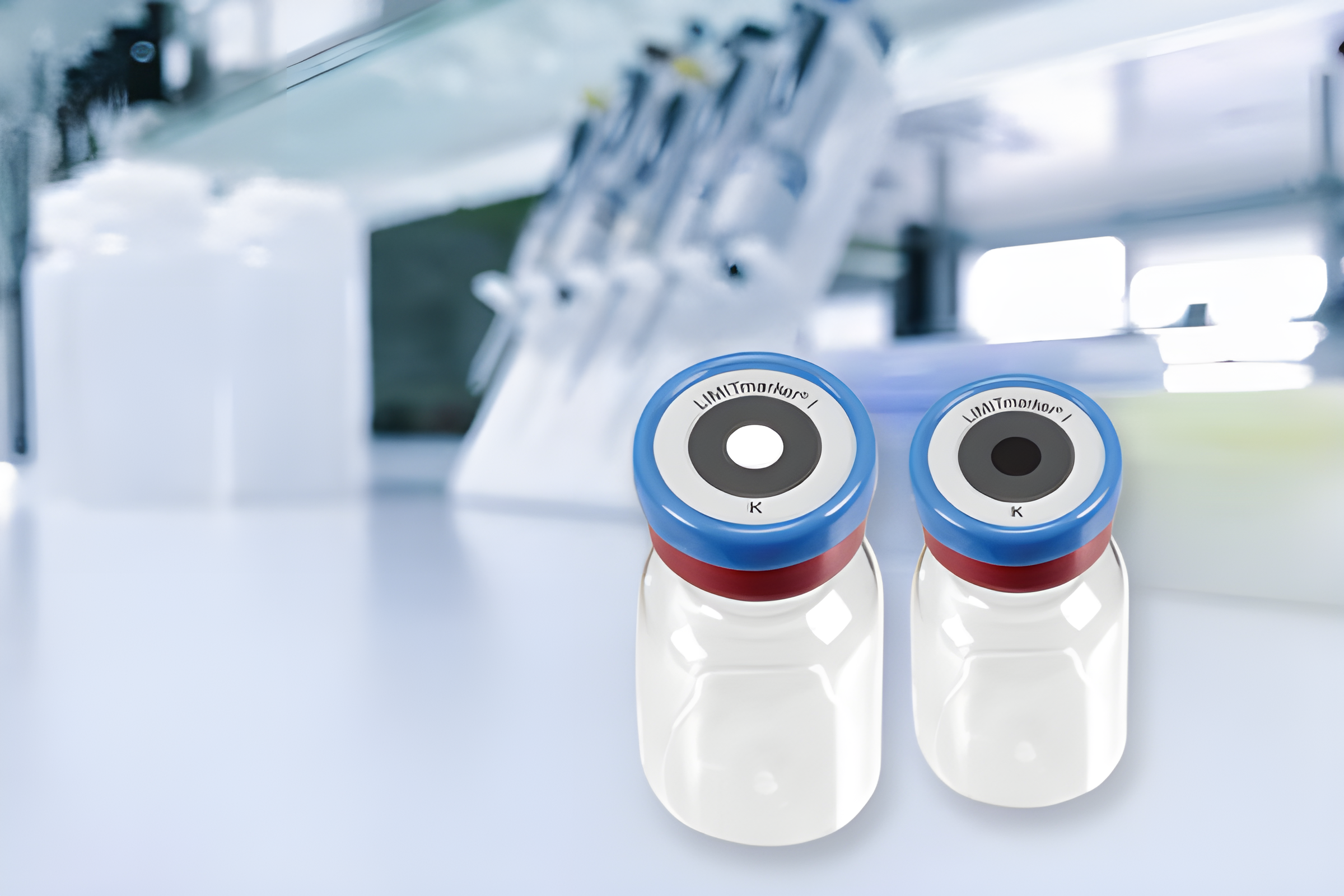
LIMITmarker® Threshold Heat Indicators
Use an irreversible visual change to indicate exposure at or above a specified heat threshold.
Self-adhesive formats can be applied to compatible products or packaging.
Response options: Selected versions offer delayed indication up
to 2 hours, quick indication up to 15 minutes or immediate indication within seconds. Confirm the
threshold and response specification for the exact model.
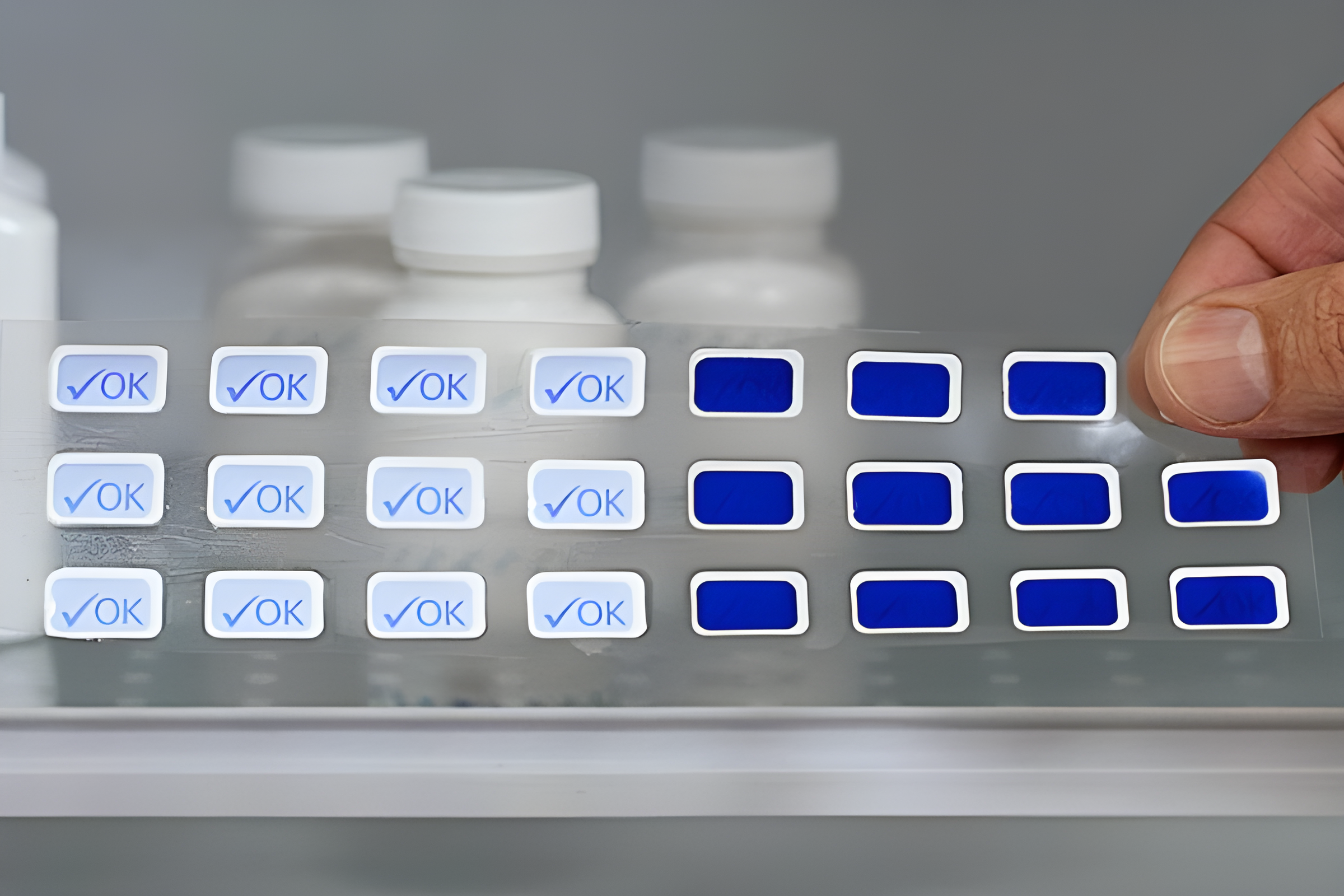
Provide a visual cue when a refrigerated item approaches room temperature. The indicator changes
appearance as it warms and returns to its cold appearance when refrigerated.
Featured response: Solid blue at or below 8°C; an
“OK” message appears around 18°C (±2°C). Self-adhesive label size: 16 mm
× 10 mm.
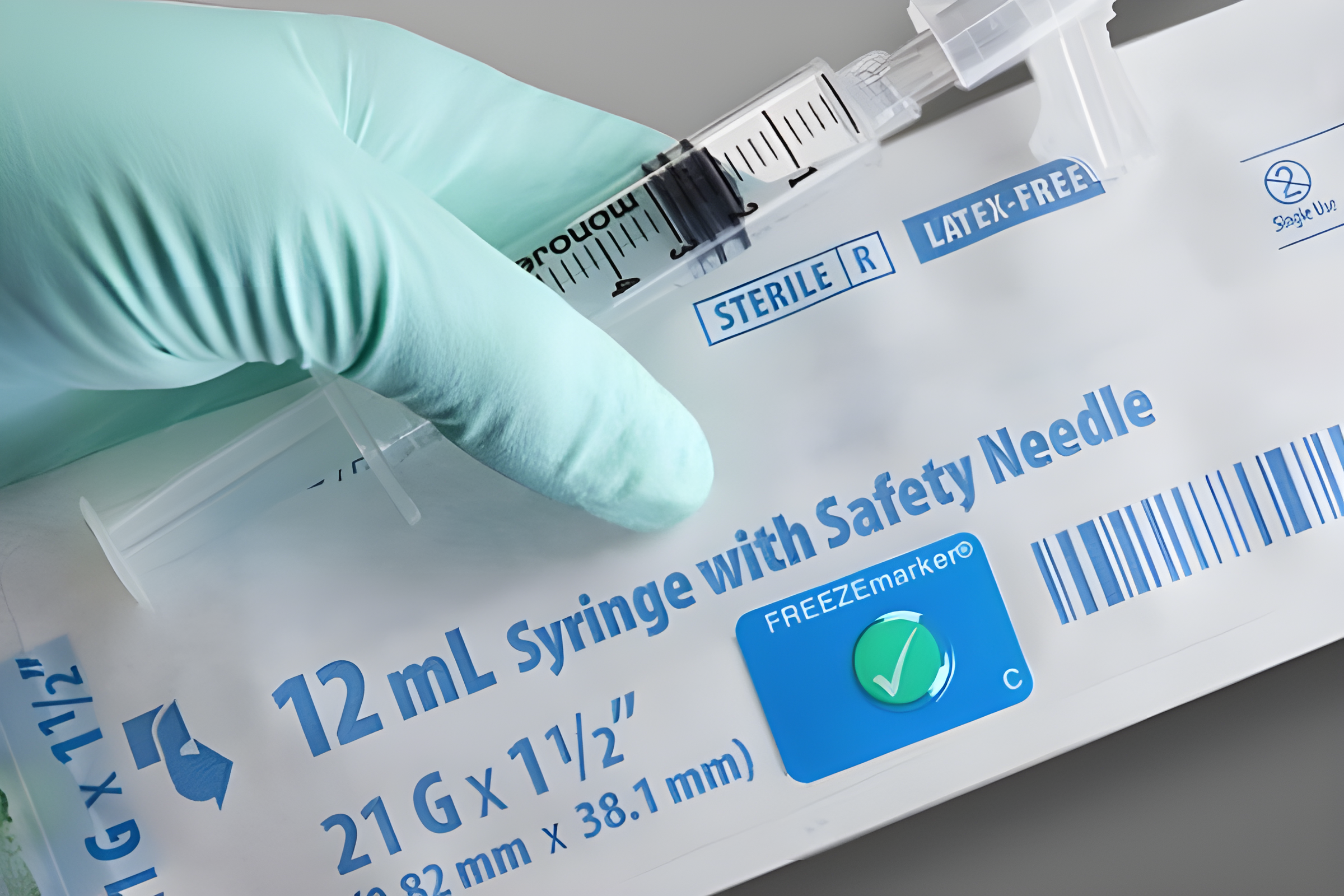
Monitor freeze-sensitive products with a single-use indicator that retains a visible response after
the specified freeze exposure.
Visual response: The indicator becomes partially or completely
white and cloudy, obscuring its checkmark. Follow the model-specific instructions for interpreting
the endpoint.
Choose the response behavior around what the user needs to know when reading the indicator.
Compare the four featured indicator options
Indicator
Primary purpose
Response behavior
LIMITmarker threshold heat
Indicate specified elevated-temperature exposure.
Irreversible change; threshold and response time depend on the model.
LIMITmarker Reversible 18°C
Show when a refrigerated item approaches the specified warmer temperature.
Reversible; does not retain a permanent history of previous warming.
FREEZEmarker
Indicate a specified freeze exposure.
Irreversible response once the defined endpoint is reached.
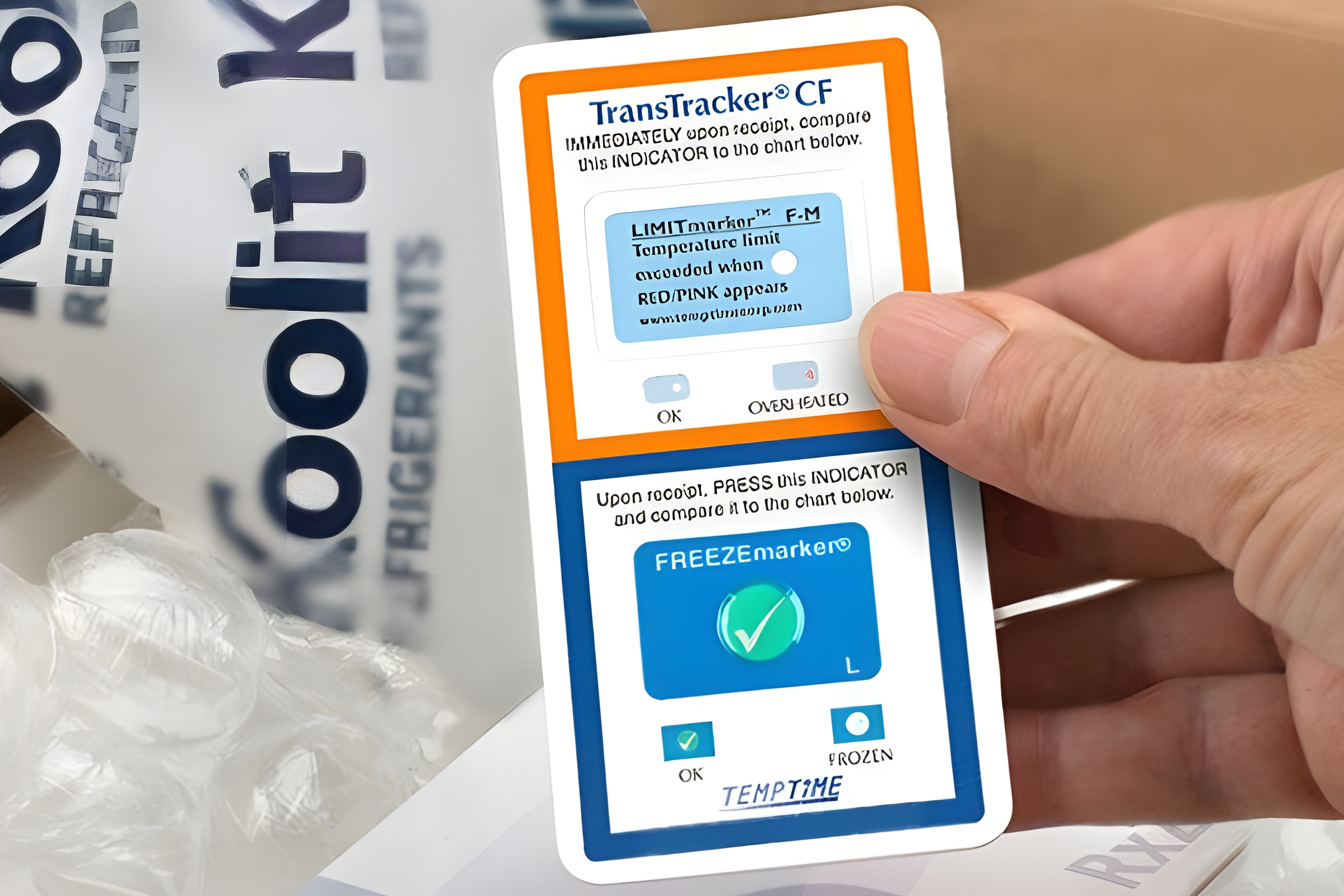
TransTracker
Provide shipment monitoring in a card format.
Heat, freeze or combined monitoring, depending on the selected indicators.
Match the Product's Requirements
How to Choose a Temperature Indicator
Begin with the product's documented temperature limits and your handling process. The selected indicator
must provide the response and format that the application requires.
Identify the Temperature Risk
Determine whether the task is detecting excessive heat, a freeze event, a transition toward room
temperature or more than one type of exposure.
Match the Response Profile
Review response temperature, exposure duration and whether the visual change should be reversible or
permanent.
Select the Format
Compare self-adhesive indicators for compatible packaging with cards placed inside shipments. Review
application, storage and reading instructions.
Build the Indicator Into Your Process
Turn Visual Information Into Consistent Handling
Ready-to-use indicators provide visual information that personnel can interpret without specialized
reading equipment. Agree where indicators will be placed, when they will be inspected and how results
will be recorded or escalated.
Storage & Handling
Review the product's environment and the exposure the selected model is intended to indicate.
Shipping & Receiving
Place and inspect shipment indicators according to the chosen configuration and packing process.
Point-of-Use Visibility
Make the indicator and interpretation instructions accessible to the intended user.
Custom Presentations
Discuss TransTracker branding, instructions and application-specific information.
Use product-specific acceptance criteria. Interpret the indicator using its instructions
and your established handling process. A visual response provides temperature information; it does not
independently establish product safety, efficacy or regulatory compliance.
Let's Find the Right Fit
Need Help Selecting the Right Indicator?
Share the product's temperature limits, exposure duration, packaging, shipping conditions and quantities.
BarcodeFactory can help compare available Zebra indicator options and specifications.
From Fortune 500 companies to your small business,
125,000+ companies trust our products, service,
and support.
Our Top Partners
Barcode Factory is a premier partner with the industry's
leading hardware, media, and software providers. We give
our customers access to proven products, services, and
resources for labeling and data capture applications.